Blog
written by: Michael Paul MacKillip |
|
Reader Mode
|
|
Page 1 of 5
 | |
Day Logic - Multi-Array Written Sep 26, 2019
more This is the logic sequence I used to return two 'day' arrays, that return values for M-S
for tables looking back over the last week, with results populating from left to right and
right to left. Results display as a single letter value M T W T F S S.
It is based on a number line going infinitely in opposite directions.
-9 -8 -7 -6 -5 -4 -3 -2 -1 0 1 2 3 4 5 6 7 8 9
9 8 7 6 5 4 3 2 1 0 -1 -2 -3 -4 -5 -6 -7 -8 -9
The initial server request returns a numeric value which is translated into a letter value for the given day.
This logic sequence returns two date arrays. One array displaying results right to left for the last week.
And one array displaying left to right for the last week.
M T W T F S S
S S F T W T M
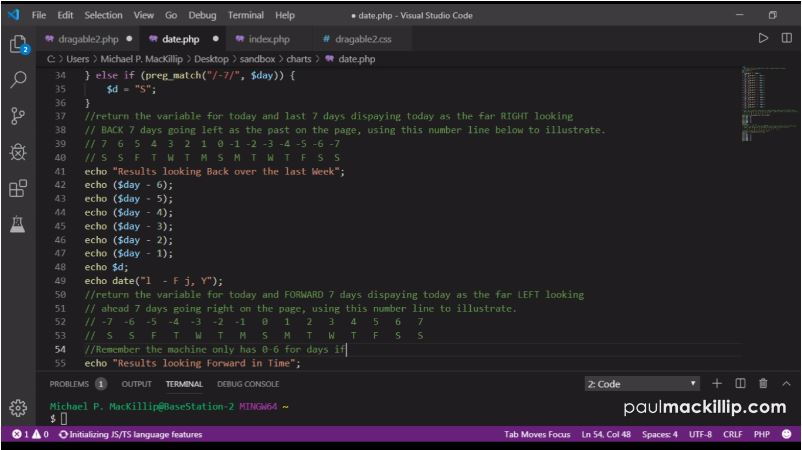
This is a small snippit of the basic formula
$day = date("w");
$t = "";
if (preg_match("/0/", $day)) {
$t = "S";
} else if (preg_match("/1/", $day)) {
$t = "M";
} else if (preg_match("/2/", $day)) {
$t = "T";
} else if (preg_match("/3/", $day)) {
$t = "W";
} else if (preg_match("/4/", $day)) {
$t = "Th";
} else if (preg_match("/5/", $day)) {
$t = "F";
} else if (preg_match("/6/", $day)) {
$t = "Sa";
} else if (preg_match("/7/", $day)) {
$t = "S";
}
echo "Today is ";
echo $t;
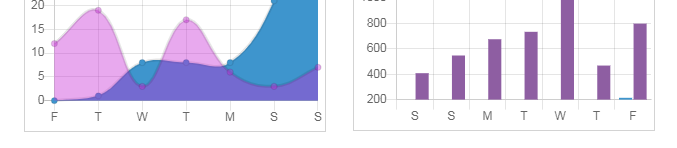
Below is an image of the example I was able to accomplish using php to help populate dynamic graphs using chart.js for the frontend display. With
both charts looking over data for the last week for with displays, from left to right and right to left.
 |  | |
NASA's Technology Transfer Program Written Sep 17, 2019
more The original article covering this topic has been edited a couple of times, I had issues with my CMS and re-designed the container for the Articles
page and Blog main page. In the future I plan on using a more rigid Ruby container system on the next design.
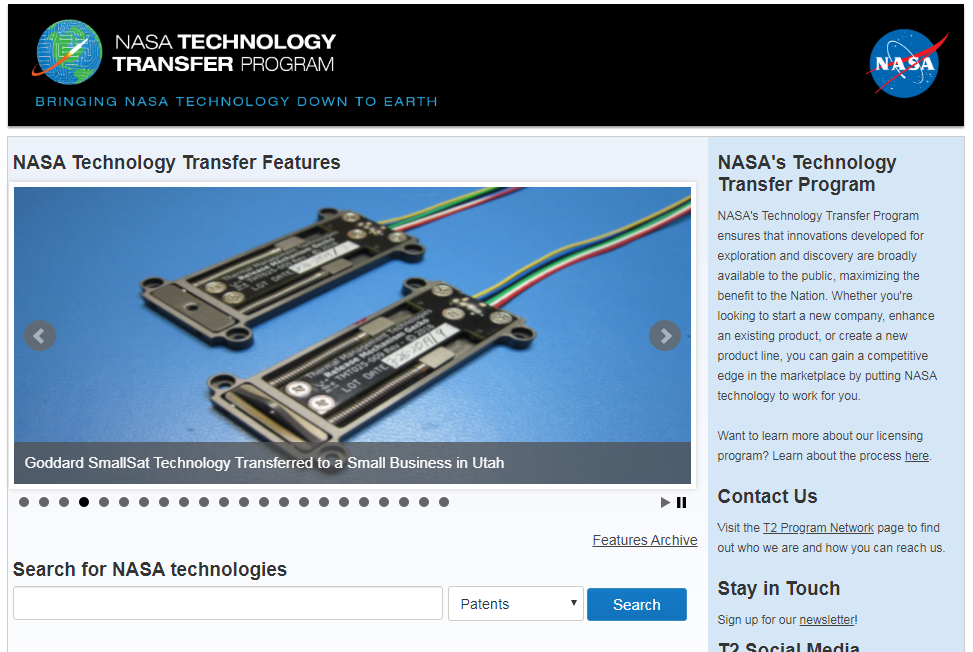
When it comes to API intergration I think THE most overlooked software repository on the web comes from NASA.
They pretty much opened up the garage for everyone and if you didn't know about before, here you go.

"NASA's Technology Transfer Program ensures that innovations developed for exploration and
discovery are broadly available to the public, maximizing the benefit to the Nation."
Forget about your Four Square Apps and your Facebook SDK's and your Google Analytics, those
were just foundation for something a little more interesting, a little more meaningful.
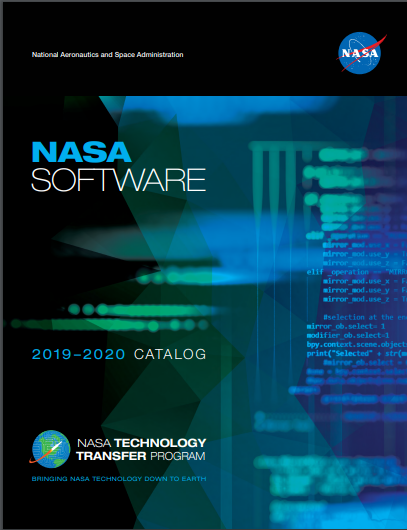
"The 2019-2020 NASA Software Catalog offers hundreds of new software programs you can download for
free to use in a wide variety of technical applications."
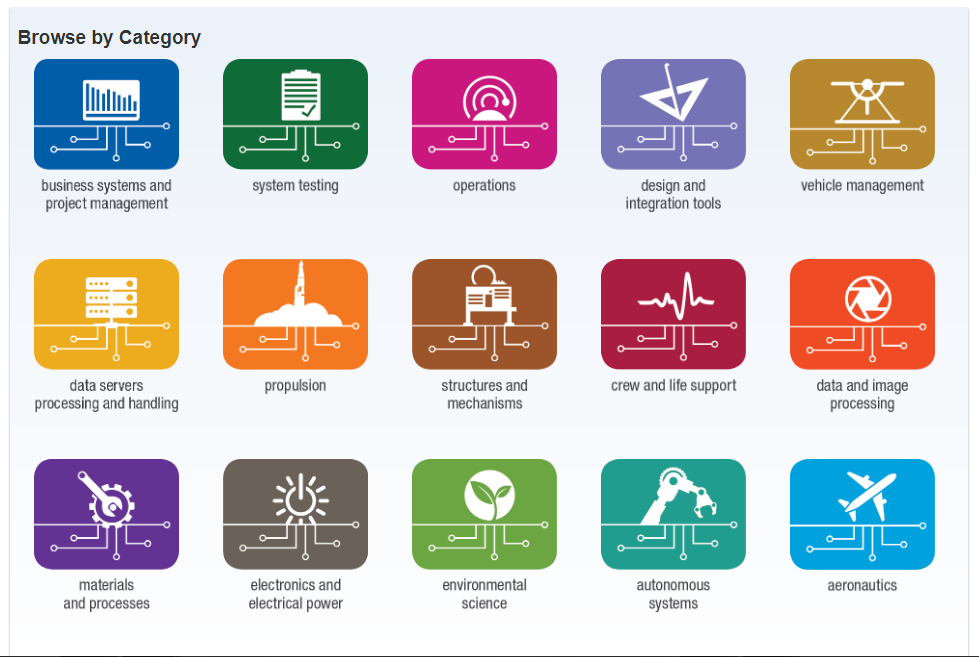
It is broken up into 15 different sections and there is
definitely something for everyone. Everything from propulsion to environmental sciences and everything in between.
They got me a couple of years ago with a software package from the Data and Image Processing tool set.
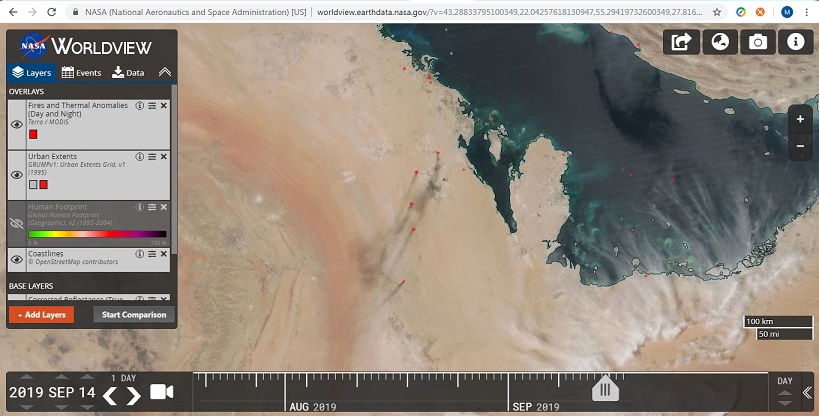
The Remote Sensing Toolkit & EarthData are the tip of the iceberg to get your feet wet.
"With the Remote Sensing Toolkit, users will now be able to find, analyze and utilize the most relevant
data for their research, business projects or conservation efforts."
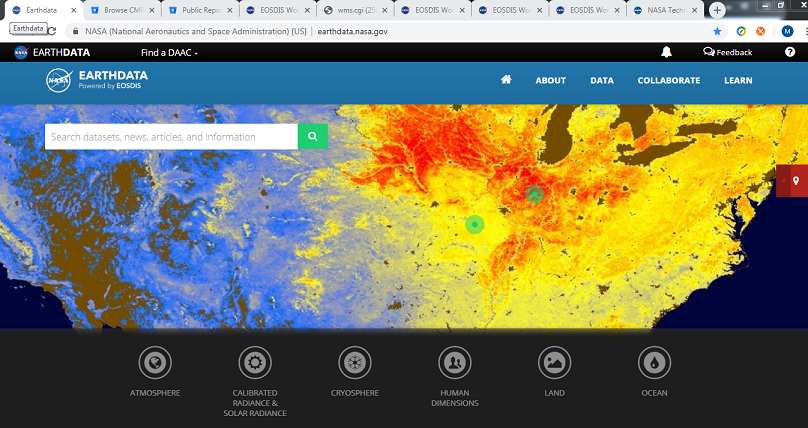
EarthData is becoming my favorite landing page and is by far, the coolest software repoo on the web. They offer
a little more than your basic php login form. But in reality, once again; it's alot of the same coding tasks,
just cooler options for code execution.
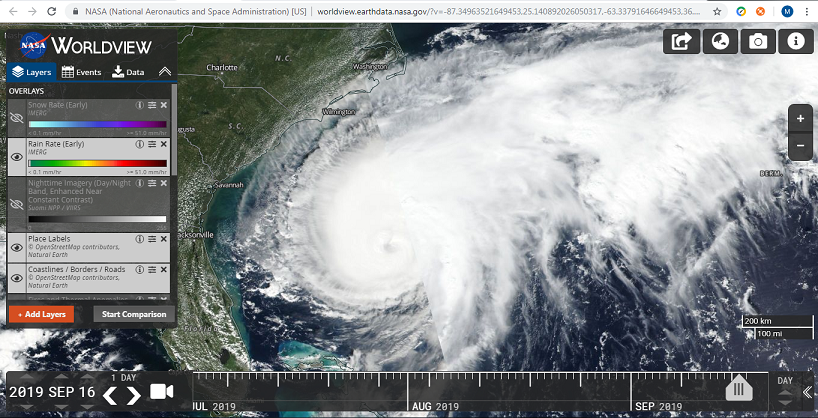
You should be able to sign up and get access, fairly quickly 7-10 days. But sign up while you can because the clearance time
for some programs can take a bit. 1-3 months on average.
NASA has also open up a HUGE patent portfolio for companies and small business to access and license. Just a
plephera of Innovation and Technology. Really cool beans.
SMART is good. Have Fun! |  | |
Finally Made It Happen Written Sep 14, 2019
more Hello World. I am happy to launch my new fully custom coded content management system. This if a featured packed system I have developed for
creating clean coded websites which offer full browser support, ssl encryption, oauth/http2 deployment and proper asset payload delivery.
All modern browsers Chrome, Firefox, IE, Edge, Opera, Safari, Android and iPhone display the same layout and retain the same function-ability. The
core of the function-ability comes from a custom coded device detection and redirection parsing system that redirects users to the proper css,
html, and assets packages. I have produced all html, css, javascript, ajax, and php scripts and assets for this system and it is running a Linux
based server rack mount server. This is the a mix of the portfolio, blog, and social network modules I am showcasing. There is a custom dashboard
for posting and uploading of articles, a comprehensive statistics page, video upload, and comment monitoring. It is expandable with e-commerce,
e-learning and job tracker modules.
Once device detection is established, I parse the header information and redirect to one of 4 html pages and one of up to 7 css pages depending
on the layout for display. Other assets are loaded as per device. There are 7 basic layout scenarios, for displaying information each of which
is reversible and customizable with further layout versions possible with the mixture of the header, footer, main, nav, and aside DOM elements.
The core of this system allows for future expandability is adaptable to today's newest devices.
For the purpose of display I am showcasing some user selectable web options, such as dark mode and banner ads, which are hard coded as options
for a customized user experience.
Although I am delivering much the same assets for desktop and mobile devices for a cohesive look, this system is coded for delivery of a more robust
website for desktop users and a slim mobile deployment, or visa versa depending on client or user needs.
In the future I hope to release an automated commercial version of this system. Hope you enjoy. | 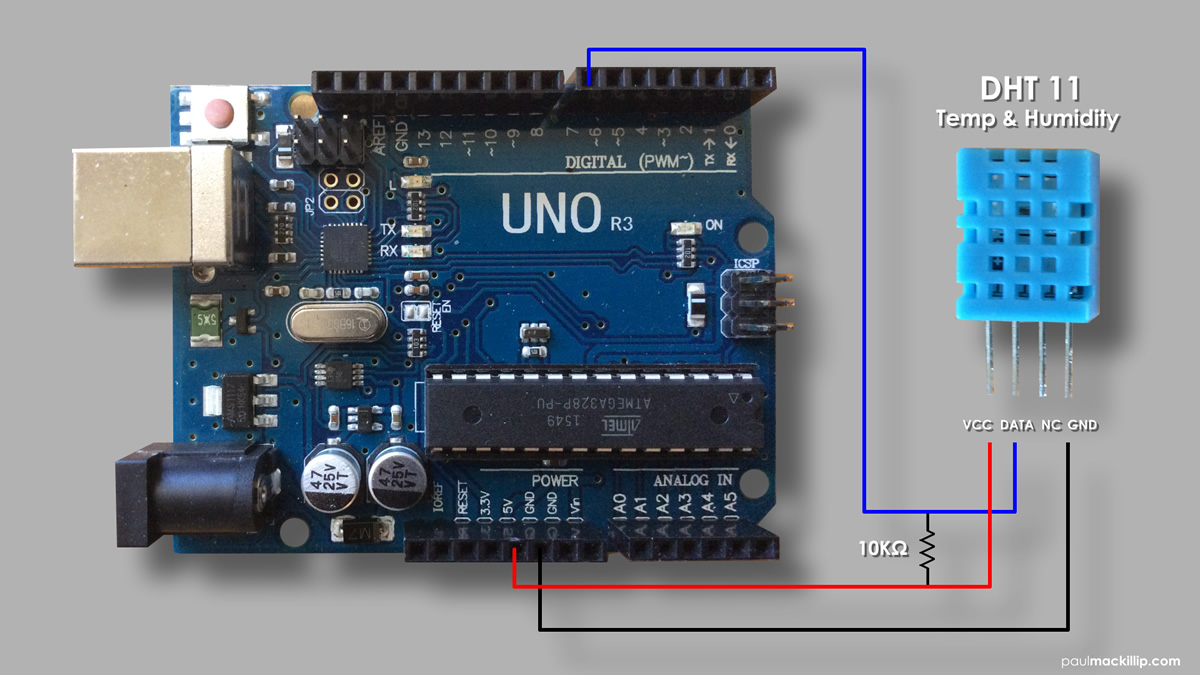 | |
DHT11 Temperature and Humidity Written Jan 12, 2017
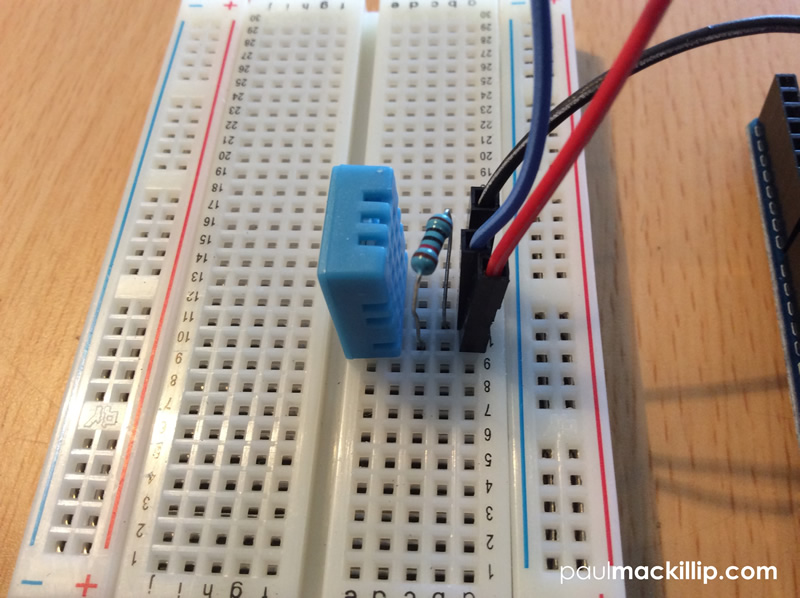
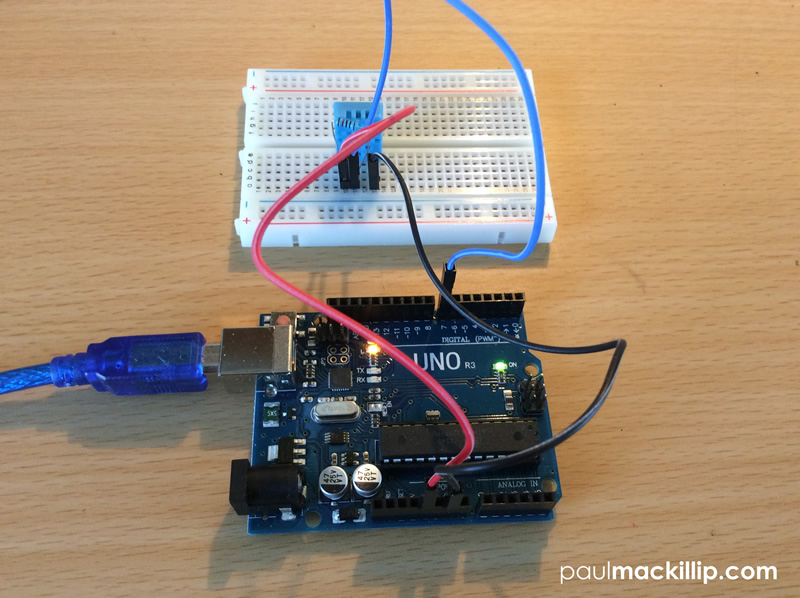
more Steps 1Using your breadboard,
insert the DHT11 sensor facing you into the back slot (e). Place lead line in
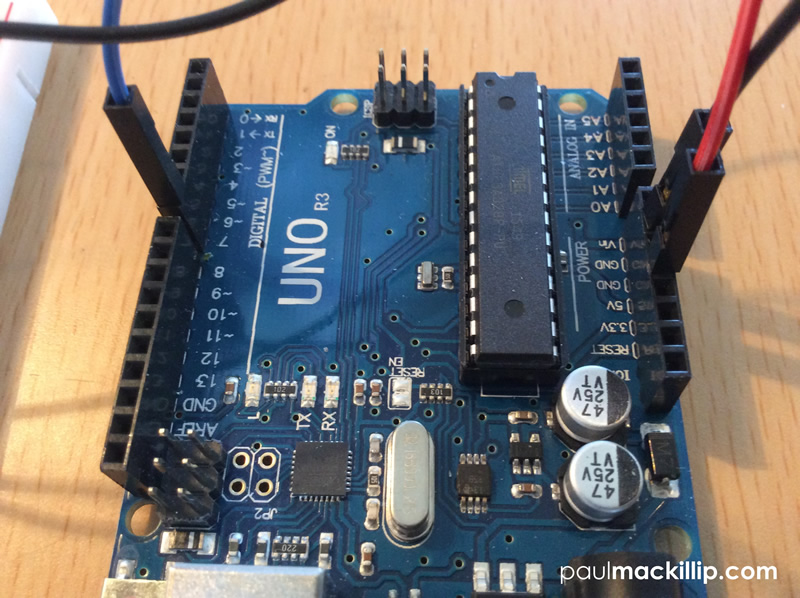
slot (a) of the breadboard, align with the VCC pin on the DHT11 and insert the
other end into 5V pin slot on the Arduino. 2Place lead line in
slot(a) of the breadboard, align with the GND pin on the DHT11 and insert the
other end into GND pin slot on the Arduino. 3You will need a 10K
ohm resistor to scale down the current between the power and data pin. Place
your resistor in the pin slots (b) and (c) of the breadboard, between the VCC
and Data pins of the DHT11. (If you need help identifying your resistors
resistance levels please refer to my "Using Your Digital Multimeter"
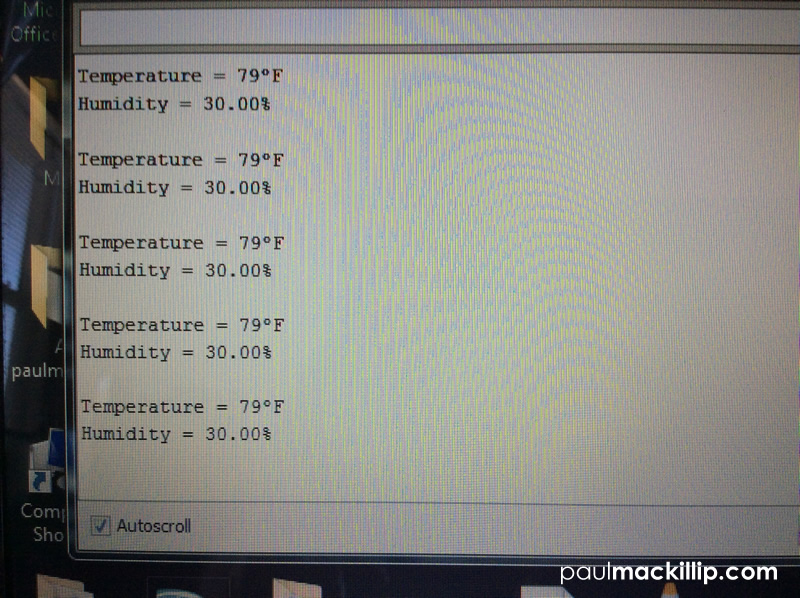
article.) 4 Connect USB cord to Ardunio and computer. Launch
Ardunio Software. Copy and paste the code below to a New Arduino project file.
Save and Run.
Temp_Humidity.ino
#include <dht.h>
dht DHT;
#define DHT11_PIN 7
void setup(){
Serial.begin(9600);
}
void loop()
{
int chk = DHT.read11(DHT11_PIN);
Serial.print("Temperature =
");
Serial.print((int)round(1.8*DHT.temperature+32));
Serial.print((char)186);
Serial.println("F");
Serial.print("Humidity =
");
Serial.print(DHT.humidity);
Serial.println("%");
Serial.println();
delay(1000);
}
In lines 15 and
17, I customized the original Ardunio base code using a simple metric conversion
to change the Celsius output reading to a Fahrenheit reading as I live in the US.
|  | |
Using Orbitron Satellite Tracking Written Jan 01, 2017
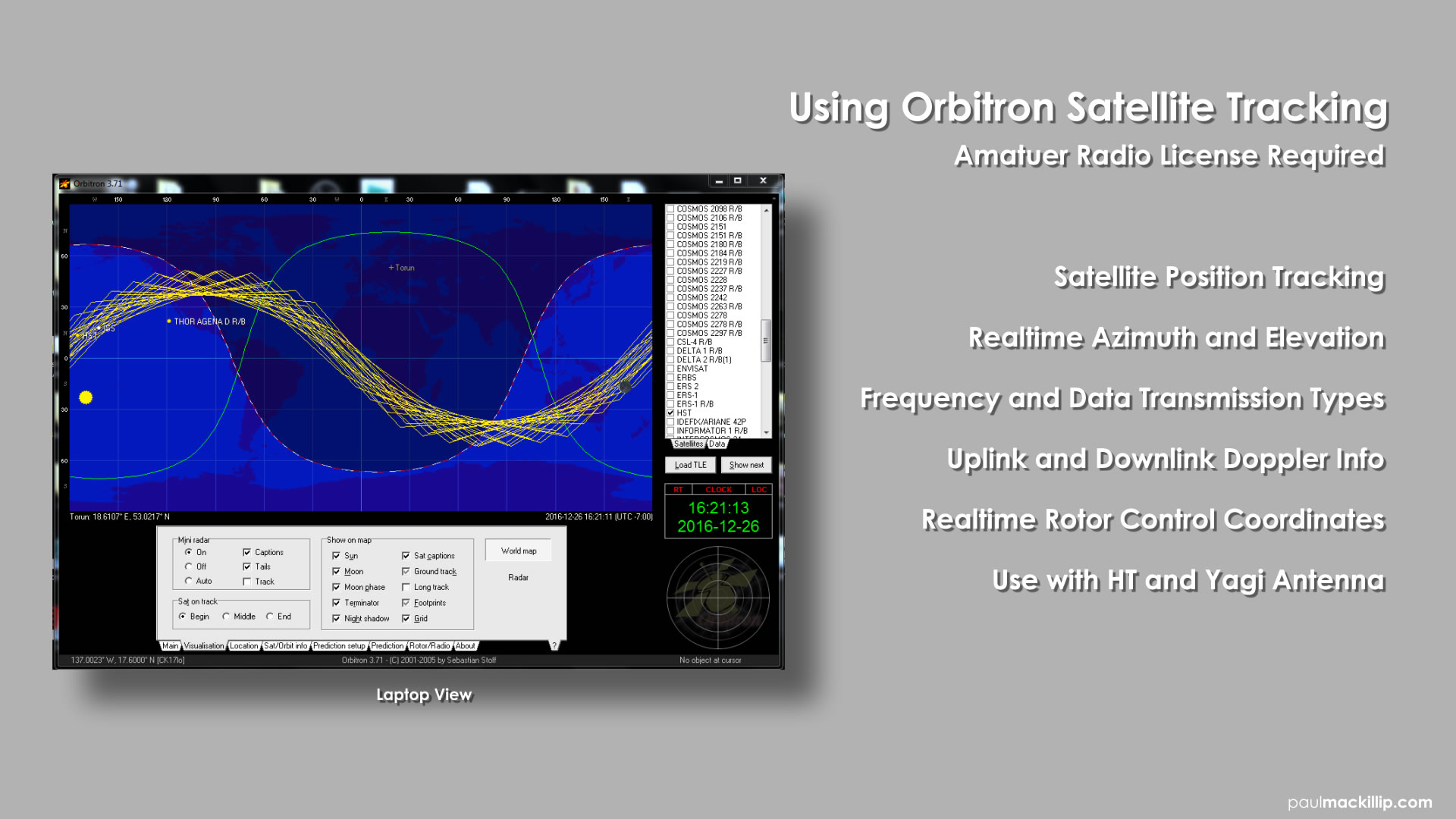
more This article will cover using the Orbitron Satellite Tracking Software with your mobile amatuer radio setup. You will need an amatuer radio license from the FCC to use and operate this setup.
Orbitron Features include:
- AMSAT and ISS communications position tracking.
- Realtime Azimuth and Elevation Information
- Uplink and Downlink Doppler information.
- Realtime Rotor Control coordinates.
- For use with and HT and Yagi antenna.
Communications Satellites *
Links to information about two-way communications satellites carrying repeaters, transponders, and digipeaters can be found here.
FM Repeater Satellites
(Click here for frequency chart, follow links below for satellite details)
SO-50 (SaudiSat 1-C)
AO-85 (Fox-1A)
LilacSat-2 (CAS-3H) Transponder activations sporadic
Transponder Satellites
(Click here for frequency chart, follow links for satellite details)
AO-7
FO-29 (JAS-2)
AO-73 (FUNcube-1)
XW-2A (CAS-3A)
XW-2B (CAS-3B)
XW-2C (CAS-3C)
XW-2D (CAS-3D)
XW-2F (CAS-3F)
EO-79 (QB50p1 and FUNcube-3)
UKube-1
LO-87 (LUSEX-OSCAR 87) Transponder active over Europe and Latin America
Digital Satellites
NO-44 (PCsat)
NO-84 (PSAT)
ISS Frequency Summary (note: 1200 baud packet on 437.550 MHz currently)
* http://www.amsat.org/?page_id=177 |
|
|
|
|

 Blog
Blog